TryHackMe: Invite Only
Another walkthrough for the TryHackme room Invite Only
1 Invite only
You are an SOC analyst on the SOC team at Managed Server Provider TrySecureMe. Today, you are supporting an L3 analyst in investigating flagged IPs, hashes, URLs, or domains as part of IR activities. One of the L1 analysts flagged two suspicious findings early in the morning and escalated them. Your task is to analyse these findings further and distil the information into usable threat intelligence.
Flagged IP:
101[.]99[.]76[.]120
Flagged SHA256 hash:
5d0509f68a9b7c415a726be75a078180e3f02e59866f193b0a99eee8e39c874f
We recently purchased a new threat intelligence search application called TryDetectThis2.0. You can use this application to gather information on the indicators above.
Connecting To The Machine
Just start the Virtual Machine by clicking Start Virtual Machine. Once the VM is booted up, double-click the launcher on the desktop to start the TryDetectThis2.0 application.
Ok folks, let’s dive in and start their own Virus Total Version you see on the desktop of your VM and running on localhost.
Put in the given hash and you’ll find the answers for Question 1 and 2.
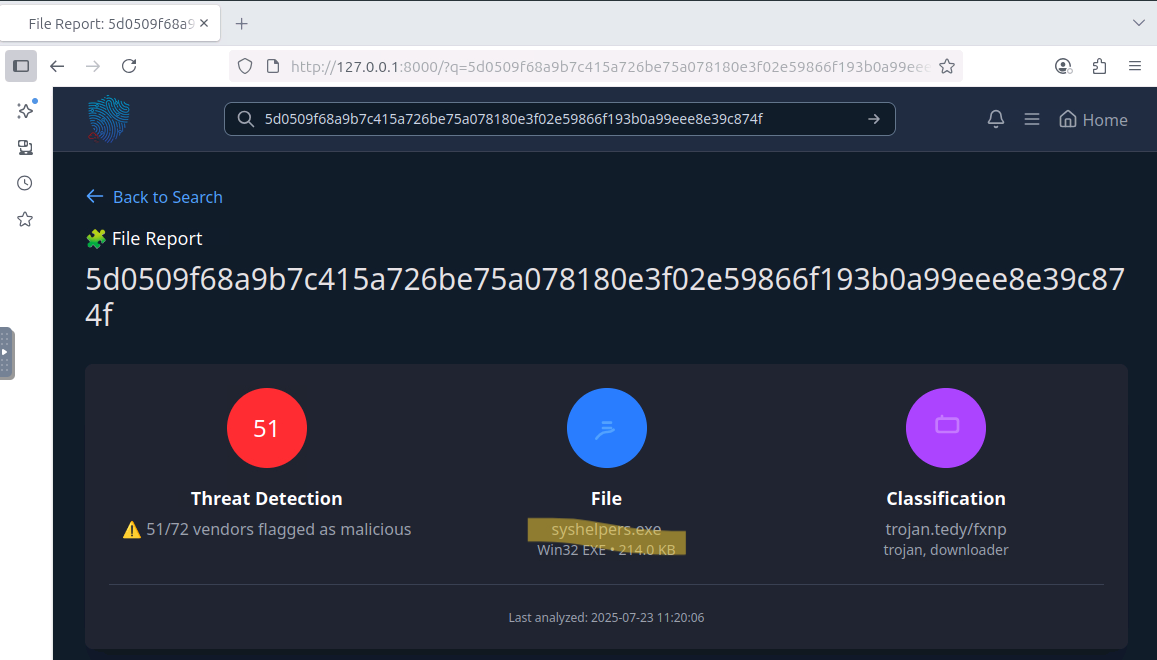
Question 1: What is the name of the file identified with the flagged SHA256 hash?
syshelpers.exe
Question 2: What is the file type associated with the flagged SHA256 hash?
WIN32 EXE
For question 3 and 4 click on Relations! And don’t forget to copy the hashes :)
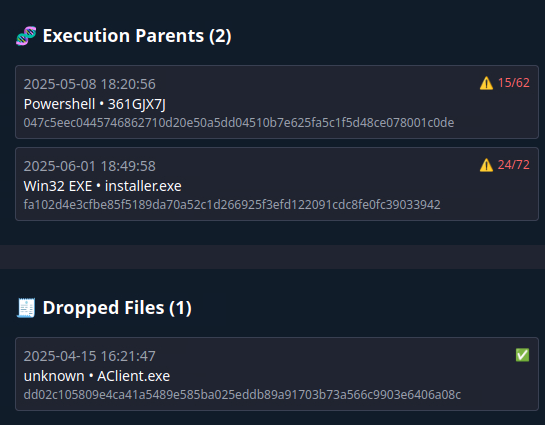
Question 3: What are the execution parents of the flagged hash? List the names chronologically, using a comma as a separator. Note down the hashes for later use.
361GJX7J,installer.exe
Question 4: What is the name of the file being dropped? Note down the hash value for later use.
Aclient.exe
For question 5, copy the second hash of question 3 into the search bar and go to Relations again. There you’ll find 20 dropped files and 4 of them are malicious ones and the answer!
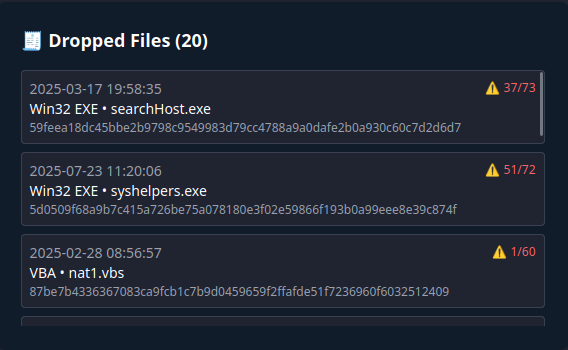
Question 5: Research the second hash in question 3 and list the four malicious dropped files in the order they appear (from up to down), separated by commas.
searchhost.exe,syshelpers.exe,nat.vbs,runsys.vbs
Next question was really tricky for me because I am not yet familiar with the different malware family names. So I found it on the original VirusTotal Website. Go there and put the flagged IP into the search bar. In the Relations Tab you’ll find Communication Files. I chose one of them and bam!
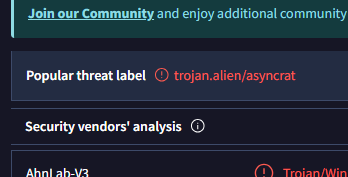
Question 6: Analyse the files related to the flagged IP. What is the malware family that links these files?
asyncrat
For the next one - as indicated - use google and look for the hash. For me it was the first entry:
Question 7: What is the title of the original report where these flagged indicators are mentioned? Use Google to find the report.
From Trust to Threat: Hijacked Discord Invites Used for Multi-Stage Malware Delivery
If you read the article you’ll find the answers to the next questions!
Question 8: Which tool did the attackers use to steal cookies from the Google Chrome browser?
ChromeKatz
Question 9: Which phishing technique did the attackers use? Use the report to answer the question.
ClickFix
Question 10: What is the name of the platform that was used to redirect a user to malicious servers?
Discord