Deploy a Docker Container
How I deploy the OWASP Juice Shop via Docker Container in my Home Lab
Overview
As part of building my home cybersecurity lab I wanted an easy way to deploy intentionally vulnerable applications for testing. This is where Docker becomes extremely useful.
Before jumping into commands, it’s worth understanding why containers exist in the first place.
The Problem Docker Solves
When running an application I stumble over a problem again and again. It runs smoothly on one machine but might fail on other because:
- different operating system versions
- missing libraries or dependencies
- conflicting package versions
- complicated setup instructions
Having the same enviroment across multiple systems can be complicated and had me frustrated more than once.
Docker solves this problem by packaging an application together with everything it needs to run.
What is a Container?
A container bundles an application together with its runtime, libraries, and configuration into a single portable unit. The application runs consistently regardless of the system hosting it.
 Containers work like shipping containers: standardized units that package applications and everything they need to run.
Containers vs Virtual Machines
Containers are often compared to virtual machines, but:
Virtual Machines
- Virtualize the entire operating system
- Require more resources
- Boot like a full computer
Containers
- Virtualize only the application layer
- Share the host OS kernel
- Start in seconds and use far fewer resources
Because of this, containers are lighter, faster and easier to deploy.
Key concepts
To understand and start deploying a container yourself, only a few Docker concepts are necessary.
Image: A read-only template that defines the application and its environment. Think of it as the blueprint.
Container: A running instance of an image.
Docker Hub: A public repository where images can be stored and downloaded.
Port Mapping: This exposes a service running inside a container to the outside network. Example: This maps port 3000 inside the container to port 3000 on the host machine.
-p 3000:3000Why Containers are useful for a Home Lab
Containers are incredibly useful in a penetration testing lab, because they allow you to:
- spin up a vulnerable application with a single command
- destroy the environment instantly after testing
- avoid breaking your host system
- run multiple targets simultaneously on different ports
… which makes experimentation much safer and faster.
Hands-On: Deploying the OWASP Juice Shop
In my lab environment I run Docker on an Ubuntu Server VM that acts as a container host.
Installing Docker:
sudo apt update
sudo apt install docker.io -y
sudo systemctl enable docker
sudo systemctl start docker
Pulling and Running OWASP Juice Shop:
docker run -d -p 3000:3000 bkimminich/juice-shopWhat happens:
- downloads the Juice Shop image from Docker Hub
- starts a container in the background (-d)
- exposes the web application on port 3000
 Started the container in Ubuntu and shwoing running container with docker -ps
Accessing the Application:
Since my Docker host runs on an Ubuntu VM inside my lab network, I can access the application from my Kali machine.
http://192.168.56.20:3000The vulnerable web application is now running and ready for testing.
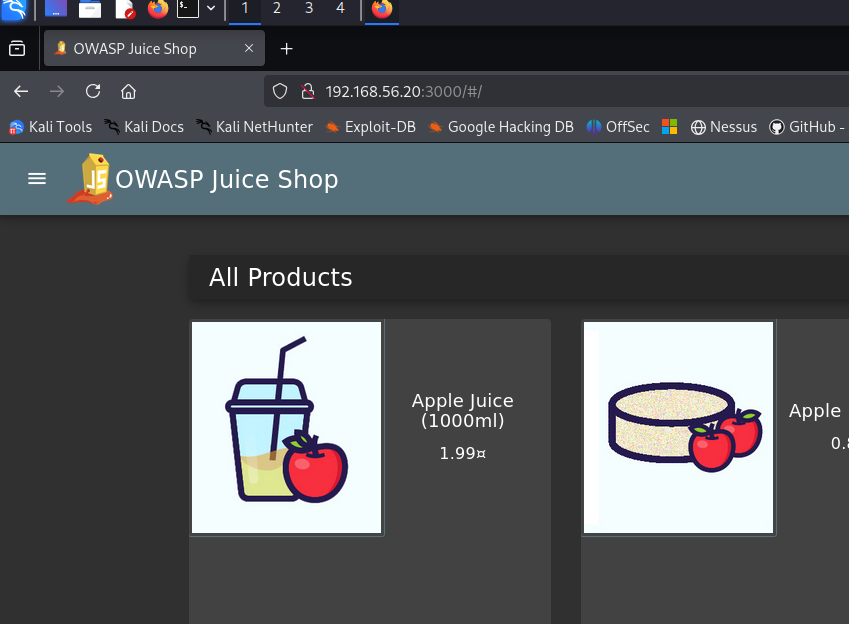 Opened the Juice Shop in Kali